Bill every hour you spend in Claude Code.
A timesheet that keeps itself: per client, per ticket. Send a report your client can confirm.
claude plugin marketplace add ChuKhaLi/hourslip
claude plugin install hourslip@hourslip
See a sample report
> add a rate limit to the login form
● Working…
See it
How it works
- 1
Install
Two commands in your terminal. hourslip is a Claude Code mod; mods are on by default in current Claude Code.
- 2
Name your clients once
/hourslip client add acme "ACME Corp" --path "C:/work/acme/**". Time in that folder goes to ACME, and so does time in any worktree of a repository there, and the ticket comes from your git branch, likefeature/ACME-182-login. - 3
Send the month
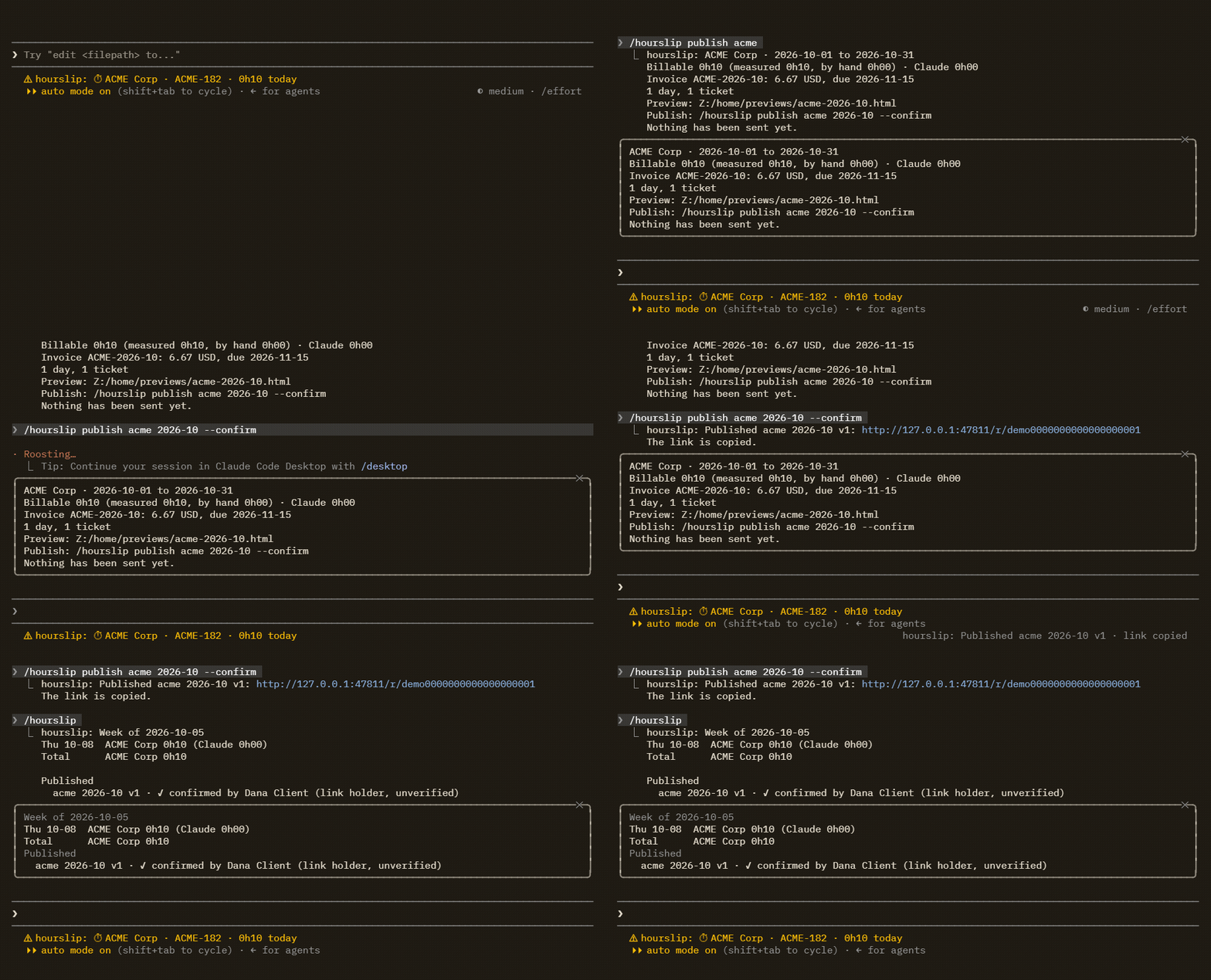
/hourslip export acmewrites CSV files and a report you can print to PDF. With Pro,/hourslip publish acmepreviews a report and--confirmgives you a link to send.
The status line shows today's time for the client and ticket you are working on.
What your client sees
ACME Corp · October 202639h10 ACME-182 · login14h05 ACME-190 · billing export12h11 ACME-195 · payment SDK8h32- Hours by day and by ticket, with the branches and commit titles behind them.
- Time you added by hand, labelled as added by hand.
- An invoice at your rate, if you set one.
- A Confirm button. It records the name someone typed and when; it does not verify who that was.
- Print to PDF from the browser.
What hourslip records
When prompts and turns start and end, the folder you are in, the git branch, and the repository's main folder and origin address (never a password or token). Never your prompts, never file contents. If you run /hourslip import, it reads Claude Code's transcripts on your machine to find earlier session times, and keeps only the times, session ids, folder and branch, never prompt text. With --confirm it keeps them for every Claude Code session on this machine in ~/.hourslip/import-cache/, so the next import is quick; --undo removes that too. It all stays in ~/.hourslip on your machine until you press Publish.
Measured from Claude Code activity. Time outside Claude Code, such as meetings or manual testing, appears only where it was added by hand, and is labelled so.
Pricing
Free
$0
- The status line and the week pane
- CSV export, per day and per ticket
- A report you can print to PDF
- No limits, no account
Pro
$72 a year
About $6 a month, or $8 billed monthly.
- A report link per client, for a period of up to 12 months
- Confirm on the link
- An invoice on the report
- Unlimited reports, fair use
2 reports free, no card, one month each (unpublishing one does not give it back), then subscribe from Claude Code with /hourslip subscribe. Charged in your local currency where available; a conversion fee may apply. Prices exclude sales tax and VAT, which are added at checkout where they apply. See Refunds.
Questions
- Why is it a lower bound?
- hourslip sees only time in Claude Code with the mod loaded. Meetings, reading and manual testing count only when you add them by hand, and the report labels those entries.
- Does my client need an account?
- No. They open the link.
- What does Confirm prove?
- Only that someone holding the link typed a name and clicked. hourslip does not verify who that was.
- If I cancel, do the links I sent stop working?
- No. A published report stays online for 2 years from publishing. Cancelling only stops new publishes.
- Which systems?
- Checked on Windows. macOS and Linux are not checked yet.